WiseMapping modern alternative and self-hosted successor
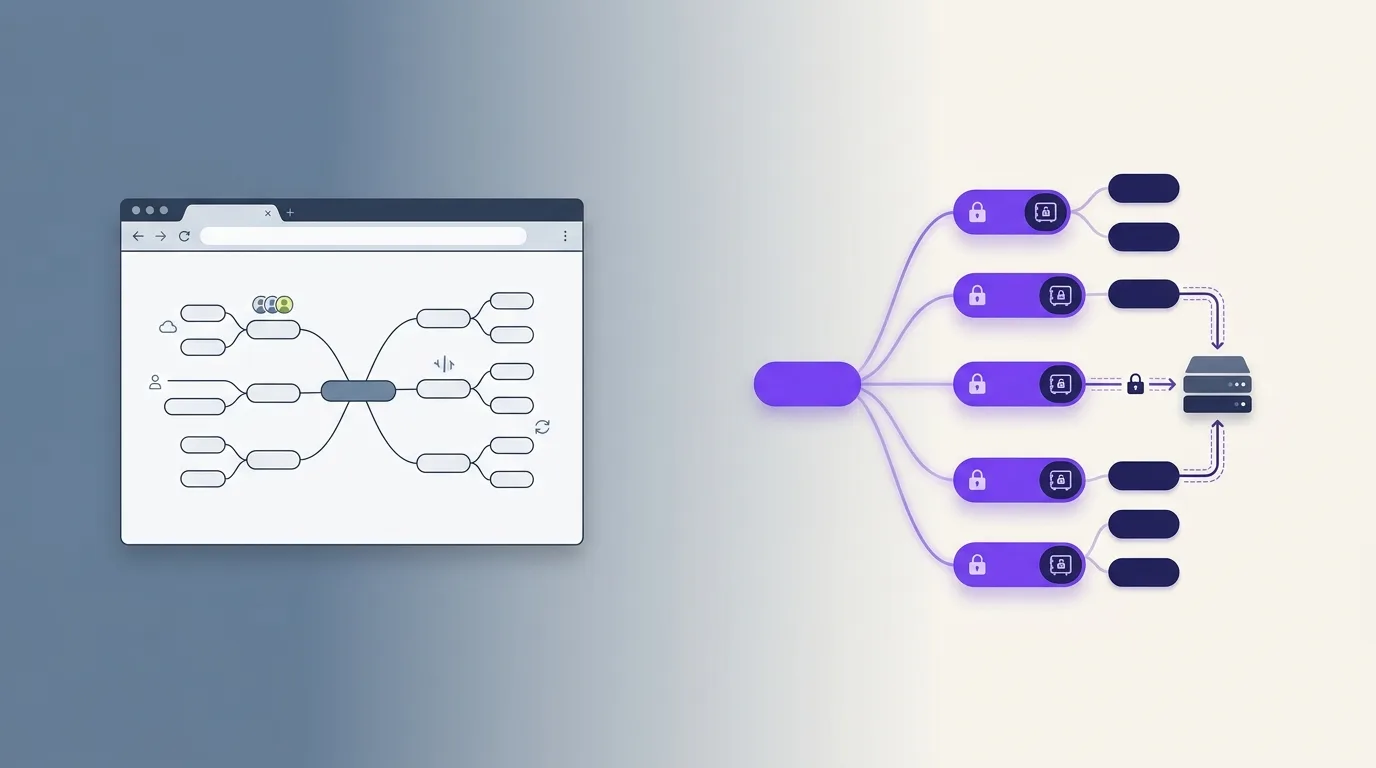
WiseMapping earned its place as the open-source, self-hostable web mind mapper. If you are looking for an alternative, you probably want to keep exactly that — browser access, your own server, open source — while fixing what aged: the interface, the deployment experience, and the fact that everything on the server sits readable in the database.
Why WiseMapping users look around
WiseMapping still works, and for a plain shared web mind mapper it remains a reasonable choice. The reasons people search for a successor are consistent:
- Slow development pace. Releases are infrequent, and the UI has fallen behind what people expect from a modern editor (smooth large-map handling, dark mode, polished keyboard flow).
- Server can read everything. WiseMapping stores map content readable by the server — standard for classic web apps, but it means whoever operates the instance (or obtains its database) reads every map. That’s a real concern the moment maps contain more than shopping lists.
- Java/Spring deployment weight. Running and upgrading the stack is heavier than the docker-compose-and-done experience self-hosters expect today.
- No offline or desktop story. It is browser-only; there is no local mode when the server is down or unreachable.
WiseMapping vs MindMapVault
| WiseMapping | MindMapVault | |
|---|---|---|
| Web-based editor | Yes | Yes |
| Self-hosting | Yes (Java/Spring stack) | Yes — Docker with PostgreSQL and S3-compatible storage |
| Server can read your maps | Yes (plaintext in database) | No — zero-knowledge, server stores only ciphertext |
| Offline / desktop app | No | Yes — free Windows and Linux apps, fully local mode |
| Hosted option | wisemapping.com (free) | Free cloud tier; Pro $50/year for more storage |
| Open source | Yes | FOSS desktop edition with public repository |
| Keyboard-first editing | Partial | Yes — Enter/Tab tree editing throughout |
| Node features | Notes, icons, links | Notes, colors, icons, checkboxes, progress, dates, links |
| Export | FreeMind .mm, image, PDF |
FreeMind .mm, Markdown, PDF, PNG, SVG |
| Import | FreeMind .mm |
FreeMind .mm, Markdown |
| Mobile / PWA | No PWA; browser-only | Yes — installable as PWA on iOS and Android, no store required |
| Dark/light mode | No | Yes — single click, dark by default, preference saved |
| Sharing/collaboration | Yes — shared editing | Limited — private-first by design |
The honest trade-off: WiseMapping is better if team collaboration on shared maps is your core need. MindMapVault is private-first — the encryption model that prevents the server from reading maps also means collaboration is deliberately constrained. If your instance mostly serves individuals who want their maps to stay their own, the trade favors encryption.
Mobile access and PWA
MindMapVault’s web client is a Progressive Web App. On iPhone or Android, open app.mindmapvault.com and tap “Add to Home Screen” — it installs with no app store, no review wait, and no update management. WiseMapping has no PWA and no mobile-optimized layout. MindMapVault runs the same zero-knowledge encryption on every platform, including mobile.
Dark/light mode
MindMapVault runs dark by default with a single-click toggle to light mode. Preference is stored synchronously before the first render — no flash of unstyled content.
Migrating from WiseMapping
The path runs through the .mm format both tools speak:
- In WiseMapping, export each map as FreeMind (.mm).
- In MindMapVault, click Import .mm on the vaults screen and select the file.
- Structure, node text, notes, colors, links, and fold state import; each map becomes its own encrypted vault.
- Verify, then decide where it lives: local-only desktop vault, your self-hosted instance, or the hosted cloud — the encryption model is identical everywhere.
Export works the same way out of MindMapVault (.mm, Markdown, PDF, PNG, SVG), so a test migration commits you to nothing.
Self-hosting, modernized
For the home-lab use case WiseMapping pioneered, MindMapVault’s self-hosted deployment runs as Docker containers backed by PostgreSQL and any S3-compatible object store. The difference in trust model matters precisely when you host for others: even with full database access, an administrator of a MindMapVault instance cannot read users’ maps — content is encrypted on each user’s device before upload (can an admin see my notes?). Your backups are ciphertext too, which simplifies where you can safely store them.
If you’d rather not run a server at all, the free desktop app gives you the fully local version of the same editor, and the FOSS edition on GitHub keeps the whole desktop implementation auditable.
Frequently asked questions
Is WiseMapping still developed?
The project is alive but moves slowly, with long gaps between releases. Evaluate its repository activity against your maintenance expectations for a self-hosted service.
Can MindMapVault import WiseMapping maps?
Yes — export from WiseMapping as FreeMind .mm, then use MindMapVault’s built-in .mm importer. Structure, text, notes, colors, and links carry over.
Is there a hosted version like wisemapping.com?
Yes: a free zero-knowledge cloud tier (25 MB encrypted storage) and a $50/year Pro tier (1 GB). Unlike a classic web app, the host cannot read what you store.
What does self-hosting require?
Docker, PostgreSQL, and S3-compatible object storage. The same zero-knowledge model applies — your server stores ciphertext.
Try it
- Create a free cloud account — the fastest way to compare editors
- Download the desktop app — free, offline, Windows and Linux
- Full WiseMapping history and analysis
Related: FreeMind & Freeplane alternative · Self-hosted mind map · Download the desktop app