FreeMind and Freeplane modern alternative
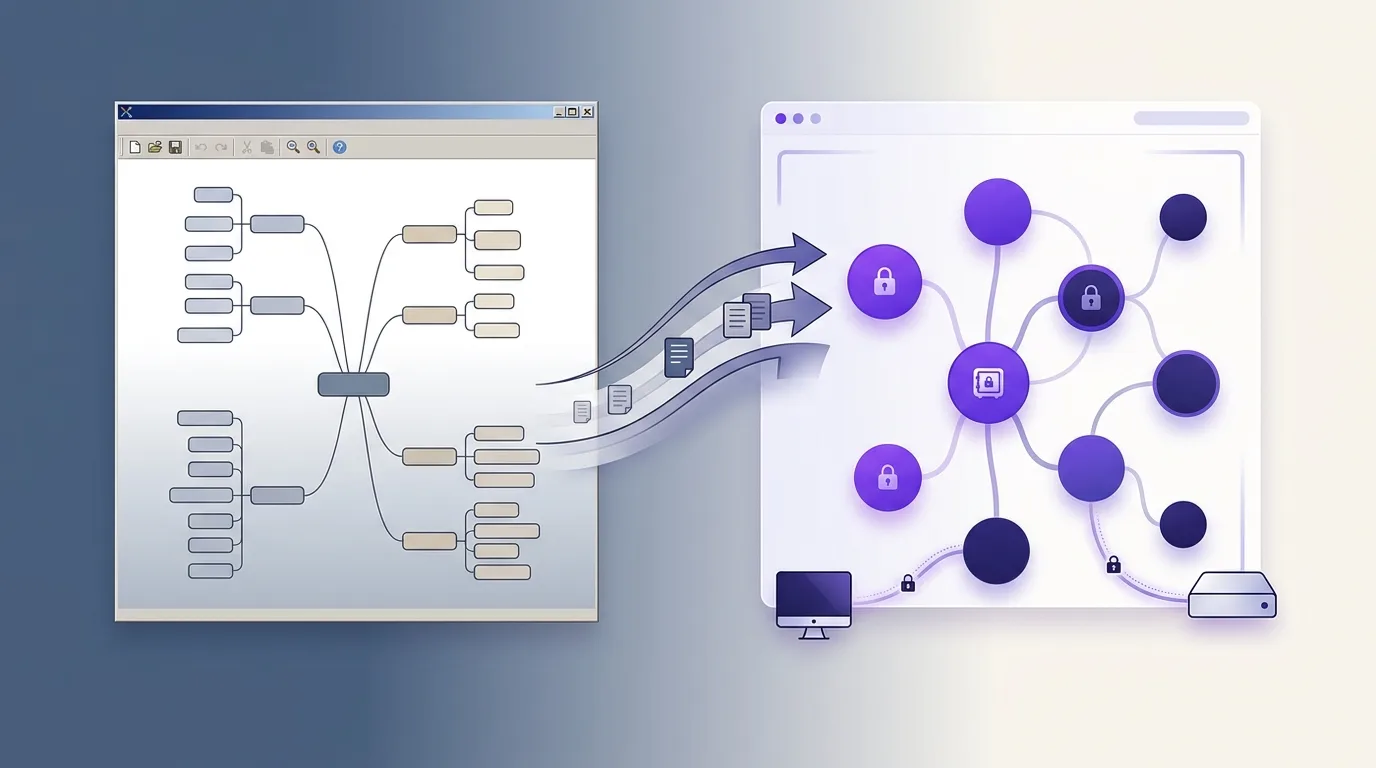
If you have years of .mm maps and a tool that feels stuck in time, the practical question is: what modern app opens my maps, keeps working offline, and doesn’t send my thinking to someone’s cloud? MindMapVault imports FreeMind .mm files directly and was built around the same values — keyboard speed, local control — with a modern UI and encrypted storage.
FreeMind vs Freeplane — the honest answer first
The two are related: Freeplane began as a fork of FreeMind and both use the .mm XML format.
- FreeMind is effectively unmaintained — the last stable release was years ago. It still runs (it’s Java), but it accumulates paper cuts on modern systems: HiDPI scaling, look-and-feel, Java runtime management.
- Freeplane is the actively maintained successor within that ecosystem. If your only complaint about FreeMind is stagnation and you’re happy with the Java desktop experience, Freeplane is the correct in-family upgrade — it opens your FreeMind maps and adds many features (formula nodes, scripting, conditional styles).
So when is it worth looking outside the family? When your requirements have grown past what either tool was designed for:
- encryption of map content at rest —
.mmfiles are plaintext XML; anyone with file or backup access reads everything - sync across devices without trusting a cloud provider — neither tool has a sync story beyond “put the file in Dropbox” (plaintext again)
- a maintained, modern interface — native feel, dark mode, smooth zoom/pan on large maps
- web access or self-hosting for use from more than one machine
FreeMind / Freeplane vs MindMapVault
| FreeMind | Freeplane | MindMapVault | |
|---|---|---|---|
| Actively maintained | No | Yes | Yes |
| Platform | Java desktop | Java desktop | Native desktop (Windows, Linux) + web |
| File format | .mm plaintext XML |
.mm plaintext XML |
Encrypted vaults |
| Content encryption at rest | No | Password on branches (legacy-style) | Yes — client-side, on-device, by default |
| Multi-device sync | Manual file copying | Manual file copying | Zero-knowledge cloud sync (free tier) |
| Self-hosting | n/a (file-based) | n/a (file-based) | Docker + PostgreSQL + S3-compatible storage |
| Keyboard-first editing | Yes | Yes | Yes — Enter/Tab tree editing |
| Node notes, icons, checkboxes | Yes | Yes | Yes, plus progress and dates |
| Mobile / PWA | No | No | Yes — installable as PWA on iOS and Android, no store required |
| Dark/light mode | No | Limited | Yes — single click, dark by default, preference saved |
| Advanced scripting/formulas | No | Yes (Groovy, LaTeX, formulas) | No — deliberately simpler |
| Open source | Yes (GPL) | Yes (GPL) | FOSS desktop edition, public repo |
| Price | Free | Free | Desktop free; cloud free tier, Pro $50/year |
Being fair in both directions: if you rely on Freeplane’s scripting, formula nodes, or conditional styling, stay on Freeplane — MindMapVault intentionally trades that power-user surface for simplicity, speed, and encryption. The switch makes sense when privacy, sync, and a modern feel matter more than scripting.
Migrate your .mm maps in about a minute
MindMapVault has a built-in FreeMind importer:
- Open MindMapVault (desktop or web) and go to your vaults screen.
- Click Import .mm and select a FreeMind or Freeplane
.mmfile. - The map becomes a new encrypted vault: node hierarchy, text, notes, node colors, links, left/right layout, and folded state all come across.
- Review and continue editing with the same Enter/Tab keyboard flow you already know.
What carries over: structure, node text, notes, colors, links, fold state. What doesn’t: Freeplane-specific extras (formulas, scripts, conditional styles) and icons, which are rebuilt with MindMapVault’s own icon system. Export is symmetrical: you can export any vault back to .mm at any time (plus Markdown, PDF, PNG, SVG), so trying it risks nothing.
Mobile access and PWA — no app store required
MindMapVault’s web client is a Progressive Web App. On iPhone or Android, open app.mindmapvault.com and tap “Add to Home Screen” — it installs with no store approval, no download wait, and no update management. It behaves like a native app and uses the same zero-knowledge encrypted vault as the desktop.
This is the gap that Java desktop tools cannot fill: FreeMind and Freeplane run only on a desktop. If you want to check your map from your phone or capture a structure on the go, those apps simply are not there. MindMapVault is.
Dark/light mode — built in from day one
MindMapVault runs dark by default and switches to light mode in a single click. The preference is stored in localStorage and applied synchronously before the first render — no flash of unstyled content, no mode jump on load.
What you gain on the privacy side
Every vault is encrypted on your device before it is stored — locally or in the cloud. The server only ever holds ciphertext; nobody on the hosting side can open your maps (how client-side encryption works). The desktop app runs fully offline with no account, and the FOSS edition is publicly auditable. For home-lab users, the self-hosted deployment gives you the FreeMind feeling of “my data, my machine” — with encryption and multi-device access on top (self-hosted mind map).
Frequently asked questions
Is FreeMind still maintained?
No — active development stopped years ago. Freeplane continues as the maintained fork; MindMapVault is the option when you also want encryption, sync, and a modern non-Java app.
Can MindMapVault open Freeplane files?
Yes — Freeplane saves the same .mm XML family. Core structure, text, and notes import; Freeplane-only features (formulas, scripts, styles) are not converted.
Does it work offline like FreeMind?
Yes. The free desktop app for Windows and Linux stores encrypted vaults on your own disk and needs no account or network.
Can I get my data back out?
Always: export to FreeMind .mm, Markdown, PDF, PNG, or SVG. No lock-in is a design rule.
Try it with one of your own maps
- Download the desktop app — free, offline, imports
.mm - Create a free cloud account — encrypted sync across devices
- Full FreeMind/Freeplane history and analysis
Related: WiseMapping alternative · Self-hosted mind map · Download the desktop app