Obsidian Canvas Alternative
MindMapVault is a private, encrypted alternative to Obsidian Canvas: real mind-map hierarchy instead of free-form boards, Markdown import, and a free offline desktop app.
Obsidian Canvas is a genuinely good tool for spatial thinking. If it works for you, keep using it. People typically start looking for an alternative for three concrete reasons:
- They want hierarchy, not a whiteboard. Canvas is free-form: cards float wherever you put them. A mind map enforces a tree — one center, branches, sub-branches — which is faster for outlining, planning, and study notes because the structure organizes itself.
- They want their visual notes encrypted. Obsidian stores
.canvasfiles as plain JSON on disk, readable by anything with file access. Obsidian itself does not encrypt your vault at rest. - They want keyboard-speed editing. On a canvas you arrange cards with the mouse. In a dedicated mind mapper you press Enter and Tab to grow the tree without touching the mouse.
Obsidian Canvas vs MindMapVault
| Obsidian Canvas | MindMapVault | |
|---|---|---|
| Structure | Free-form cards and arrows | True mind-map tree with auto-layout |
| Content encryption at rest | No (plaintext .canvas JSON) |
Yes — encrypted on your device before storage |
| Zero-knowledge cloud sync | Sync is E2E-encrypted (paid add-on) | Yes, free tier — server only ever stores ciphertext |
| Offline desktop app | Yes | Yes — Windows and Linux, fully local mode |
| Self-hosting | No official server | Yes — Docker with PostgreSQL and S3-compatible storage |
| Import from Markdown | Native (it is your vault) | Yes — headings and lists become branches |
| Export | JSON canvas format | FreeMind .mm, Markdown, PDF, PNG, SVG |
| Open source | No (proprietary, free for personal use) | FOSS desktop edition with public repository |
| Node features | Cards, groups, arrows, embeds | Notes, colors, icons, checkboxes, progress, dates, links |
| Mobile / PWA | No (Canvas is a desktop-only feature) | Yes — installable as PWA on iOS and Android, no store required |
| Dark/light mode | Yes (app setting) | Yes — single click, dark by default, preference saved |
| Price | Free; Sync from ~$4/month | Free cloud tier, $50/year Pro, desktop free |
Two honest points in Obsidian's favor: Canvas embeds your existing notes and files directly on the board, and the Obsidian plugin ecosystem is unmatched. If your workflow depends on embedding whole notes into a spatial view, Canvas remains the better tool for that specific job.
Moving your Canvas thinking into MindMapVault
There is no direct .canvas importer (the format is a spatial JSON, not a tree), but your Obsidian notes themselves come across cleanly:
- In Obsidian, open the note that holds your outline or structure.
- In MindMapVault, choose Import .md on the vaults screen.
- Headings become branches by level, list items become child nodes, and blockquotes attach as node notes.
- Rearrange with the keyboard: Enter adds a sibling, Tab adds a child.
Going the other way is just as easy — MindMapVault exports Obsidian-compatible Markdown, so you can keep your Obsidian vault as the long-term archive and do the visual thinking in an encrypted workspace. You are never locked in.
Mobile access and PWA — no app store required
MindMapVault's web client is a Progressive Web App. On iPhone or Android, open app.mindmapvault.com and tap "Add to Home Screen" — it installs instantly with no store approval, no download wait, and no update management. It behaves like a native app and uses the same zero-knowledge encrypted vault as the desktop.
Obsidian Canvas is a desktop-first feature. Obsidian does have mobile apps, but the Canvas experience there is limited — and files on your phone, like files on your desktop, are still stored as plaintext JSON. MindMapVault encrypts on every platform, including mobile.
Dark/light mode
MindMapVault runs dark by default and switches to light mode in a single click. The preference is stored in localStorage and applied synchronously before the first render — no flash of unstyled content, no mode jump on load.
What "private" means here, concretely
MindMapVault encrypts map structure and note content on your device before anything is stored or synced. The server stores ciphertext it cannot read — there is no admin view, no support backdoor, and no content-based analytics, because the keys never leave you. The desktop FOSS edition works with no account and no network at all. If you want to verify rather than trust, the desktop implementation is open source on GitHub, and the trust model is documented in the security whitepaper.
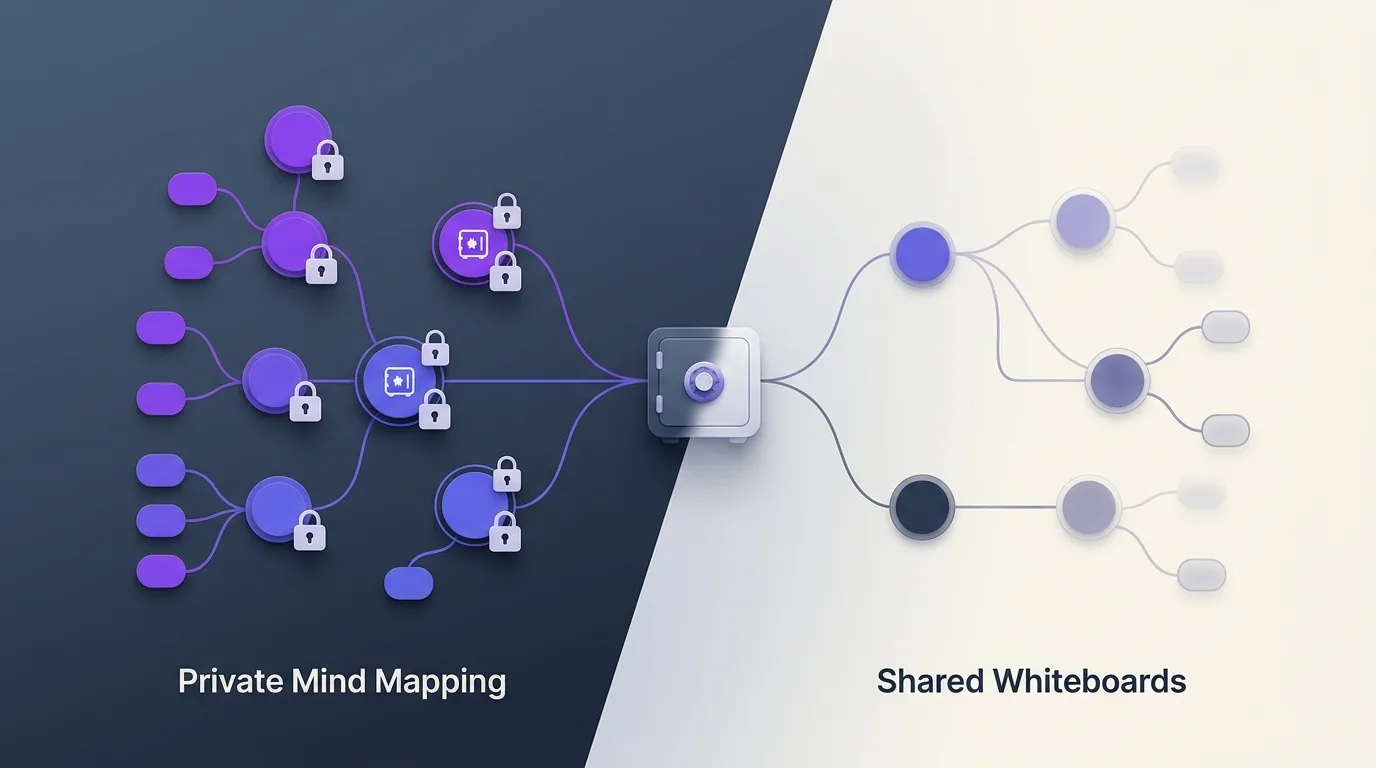
Learn more about the model: what zero-knowledge means for notes and private mind mapping vs shared whiteboards.
Frequently asked questions
Is Obsidian Canvas encrypted?
Canvas boards are saved as plaintext .canvas JSON files inside your vault folder. Obsidian Sync encrypts data in transit and on Obsidian's servers, but files on your own disk are unencrypted unless you add OS-level disk encryption yourself.
Can I use MindMapVault offline like Obsidian?
Yes. The desktop app (Windows and Linux) runs fully local with encrypted vaults on your own disk — no account, no server, no telemetry. Cloud sync is optional, not required.
Does MindMapVault replace my Obsidian vault?
It replaces the visual-thinking part, not your notes archive. Markdown import/export in both directions means the two work side by side without lock-in.
What does it cost?
The desktop app and self-hosted deployment are free. The hosted cloud has a free tier (25 MB encrypted storage) and a $50/year Pro tier (1 GB). Same encryption model on every tier.
Try it
- Download the desktop app — free, offline, Windows and Linux
- Create a free cloud account — zero-knowledge sync across devices
- Compare all editions
Related: Obsidian alternative · Obsidian mind map plugins · Private mind map